
Trace.Space + Jira: Requirements Management Meets Task Management
Jira is one of the most widely used tools in engineering. For task tracking, sprint management, and developer workflows, it’s fast, flexible, and proven.
But Jira was designed for a specific job: managing work items that surface, get resolved, and close. Requirements are different. They surface, get agreed upon, and persist. They need to be traced to design decisions, test cases, and verification results over the lifetime of a product.
When teams try to use Jira for requirements management, they end up building workarounds that break under complexity. Trace.Space fills that gap and integrates natively with Jira so your teams keep the tools they know while gaining the requirements layer they need.

Where Jira Wasn’t Designed to Go
No native traceability model

Jira links issues to other issues, but it doesn’t support the kind of structured traceability that requirements management demands: tracing from stakeholder needs through system requirements to verification evidence.
Ephemeral by design
Jira issues are meant to be resolved and closed. Requirements are meant to persist and evolve. Forcing persistent, living specifications into a tool designed for transient work items creates confusion and data loss over time.
No compliance structure
Regulated industries need traceable audit trails, baseline management, and formal review workflows. Jira’s structure doesn’t support these out of the box, and plugins can only go so far.
Scale limitations for engineering data
As the number of requirements grows into the tens of thousands, Jira’s flat issue structure becomes difficult to navigate and impossible to analyze holistically.
What Trace.Space Adds to Your Jira Workflow
The Requirements Layer Jira Was Never Built to Handle
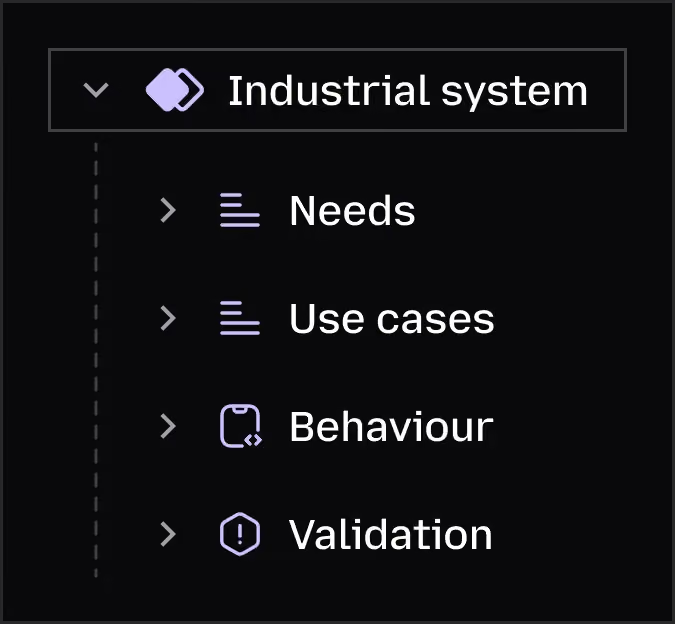
Trace.Space manages requirements as living system assets: linked, versioned, and traced across your entire product architecture. It gives systems engineers, domain engineers, and engineering leadership a single source of truth for what the product needs to do and whether it’s been verified. Jira keeps managing how the work gets done.
Native Integration, Not Duplication
Trace.Space connects to Jira out of the box. Requirements in Trace.Space link to implementation tasks in Jira. Changes in one tool are visible in the other. Your developers stay in Jira. Your systems engineers work in Trace.Space. Both see the full picture.
AI That Connects the Dots
Trace.Space’s AI understands the relationships between requirements, design artifacts, and verification evidence. It suggests traces, detects coverage gaps, and flags the impact of changes, things that would take hours of manual review in Jira. Your team spends less time searching and more time building.


Add Trace.Space to Your Jira Workflow
This isn’t a rip-and-replace. Trace.Space sits alongside Jira, adding the requirements management and traceability capabilities that Jira doesn’t offer.
Getting started is straightforward: connect your Jira instance, define your requirements structure in Trace.Space, and start linking requirements to Jira tasks. Your existing Jira workflows stay intact.
For teams that also have requirements data in other tools (DOORS, Jama, spreadsheets), we provide white-glove migration support to consolidate everything into Trace.Space.



Frequently Asked Questions About Trace.Space and Jira
Does Trace.Space replace Jira?
No. Trace.Space complements Jira. Jira handles task management, sprints, and developer workflows. Trace.Space handles requirements management, traceability, and compliance. They integrate natively.
How does the Jira integration work?
Trace.Space connects to Jira via a native integration. Requirements in Trace.Space can be linked to Jira issues. Status changes, comments, and updates sync between the two platforms so both teams see current information.
Can Trace.Space handle regulated and compliance-heavy environments?
Yes. Trace.Space is SOC 2 Type II certified, ISO 27001 compliant, and GDPR/CCPA ready. It supports cloud, private VPC, on-prem, and air-gapped deployment. Jira does not natively support these compliance needs for requirements management.
What if we have requirements scattered across Jira, spreadsheets, and documents?
That’s a common starting point. Trace.Space can ingest data from Jira, Excel, DOCX, and other formats. Our migration support helps you consolidate fragmented requirements data into a single, traceable source of truth.
Do our developers need to learn Trace.Space?
Not necessarily. Developers can continue working entirely in Jira. The integration surfaces relevant requirements context in Jira, so developers see what they need without switching tools. Systems engineers and engineering leads work in Trace.Space.


Ready to Add the Requirements Layer Your Jira Workflow Is Missing?
Keep Jira for what it does best. Add Trace.Space for what it can’t. See the integration in action.