
The Most Flexible API in Requirements Management
This is for teams that need requirements management to plug into their broader engineering toolchain, not sit next to it.
API-first is not a marketing line for Trace.Space. It is an architectural decision made on day one. Every capability in the platform is accessible programmatically. If you can do it in the browser, you can do it through the API. No paywalls, no hidden endpoints, no enterprise tier required for basic access.

What You Can Build
Sync with Atlassian Products
Push and pull requirements between Trace.Space and Jira or Confluence. Keep your engineering data synchronized without manual export/import cycles. Jira issues map to requirements. Confluence pages map to specifications. Traces stay intact across systems.
Connect to Git Providers
GitHub, GitLab, Bitbucket. Link code changes to the requirements they implement. Trace from a commit back to a system requirement and forward to the verification that proves it works.
Integrate Legacy Tooling
If your organization has a DOORS, Jama, or Codebeamer subscription, you have access to their API documentation. Trace.Space can sit between your legacy tool and your modern workflow, synchronizing data without forcing a full migration on day one.
Bridge to Engineering Tools
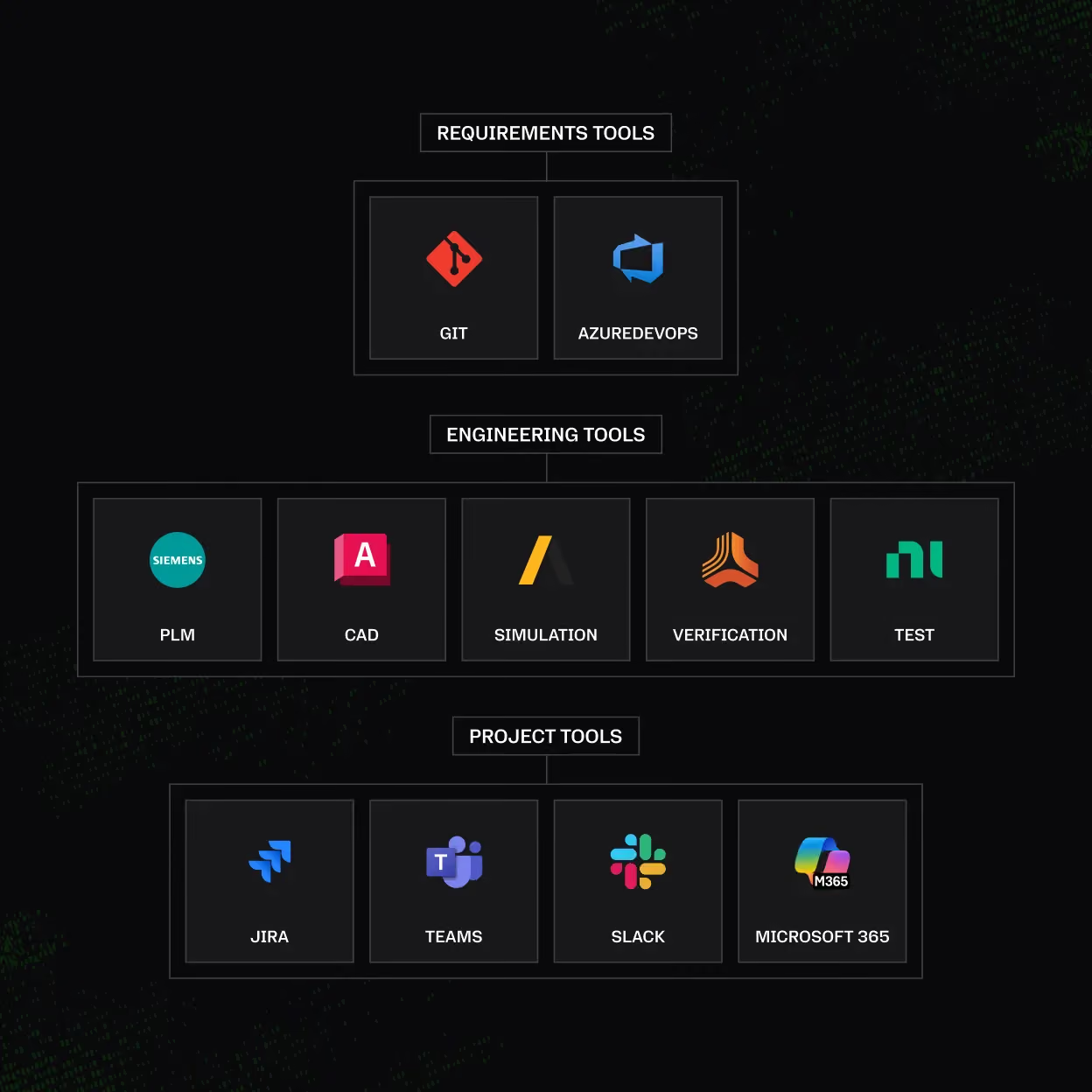
Connect to PLM systems (TeamCenter, Windchill), CAD tools (SolidWorks, 3DS), simulation platforms (MATLAB, Ansys), and CI/CD pipelines (Jenkins, Azure DevOps). Requirements trace all the way to physical design and test execution.
Build Custom Workflows
Business intelligence dashboards. Custom compliance reports. Automated notifications when coverage drops below a threshold. If your team has a process that touches requirements data, the API lets you automate it.
REST API
Full CRUD operations on requirements, traces, projects, baselines, reviews, and user data. Bulk operations for import and migration workflows. Filter and query endpoints that mirror the platform's saved filter capabilities.
- /
RESTful architecture
- /
JSON request and response bodies
- /
Token-based authentication
- /
Paginated responses for large datasets
- /
Webhook support for event-driven integrations

How Engineering Teams Use the API
A defense technology company integrated Trace.Space with their internal CI/CD pipeline and PLM system. When a software build passes, the API automatically updates the verification status of the corresponding requirements in Trace.Space. When a hardware design changes in the PLM system, the API triggers an impact analysis that identifies which requirements and test cases are affected.
The result: traceability maintained automatically across the full engineering lifecycle, with no manual data entry and no lag between a change and its visibility in the requirement chain.
Frequently Asked Questions
Is the full Trace.Space API available, or are some features behind an enterprise tier?

The full Trace.Space API is available, with no paywalls, hidden endpoints, or enterprise tier required for basic access. If you can do something in the browser, you can do it through the API, because every capability in the platform is accessible programmatically. API-first was an architectural decision made on day one, not a feature added later.
Which tools can Trace.Space integrate with through the API?
Trace.Space integrates with Atlassian tools (Jira, Confluence), Git providers (GitHub, GitLab, Bitbucket), PLM systems (TeamCenter, Windchill), CAD tools (SolidWorks, 3DS), simulation platforms (MATLAB, Ansys), and CI/CD pipelines (Jenkins, Azure DevOps). The API lets requirements trace all the way to physical design and test execution. You can also build custom workflows like compliance reports or alerts when coverage drops below a threshold.
Can Trace.Space sync with Jira and Confluence?
Yes, Trace.Space syncs requirements with Jira and Confluence in both directions through the API. Jira issues map to requirements, Confluence pages map to specifications, and traces stay intact across both systems. You skip the manual export and import cycles and keep your engineering data synchronized.
Can Trace.Space connect to legacy tools like DOORS during a phased migration?
Yes, Trace.Space can sit between a legacy tool and your modern workflow during a phased migration. If your organization has a DOORS, Jama, or Codebeamer subscription with API access, Trace.Space synchronizes data with it so you don't have to force a full migration on day one. You move at your own pace instead of switching everything at once.
What kind of API does Trace.Space provide?
Trace.Space provides a REST API with full CRUD operations on requirements, traces, projects, baselines, reviews, and user data. It uses JSON request and response bodies, token-based authentication, paginated responses for large datasets, and webhook support for event-driven integrations. Bulk operations handle import and migration workflows.
Can I link Git commits to the requirements they implement?
Yes, you can link code changes in GitHub, GitLab, or Bitbucket to the requirements they implement. Trace from a commit back to a system requirement and forward to the verification that proves it works. That connects your code history directly to the requirement chain without manual cross-referencing.


Connect Your Stack to Trace.Space
See what the API looks like with your engineering workflow. We will walk through your integration architecture and show you where the API fits.