
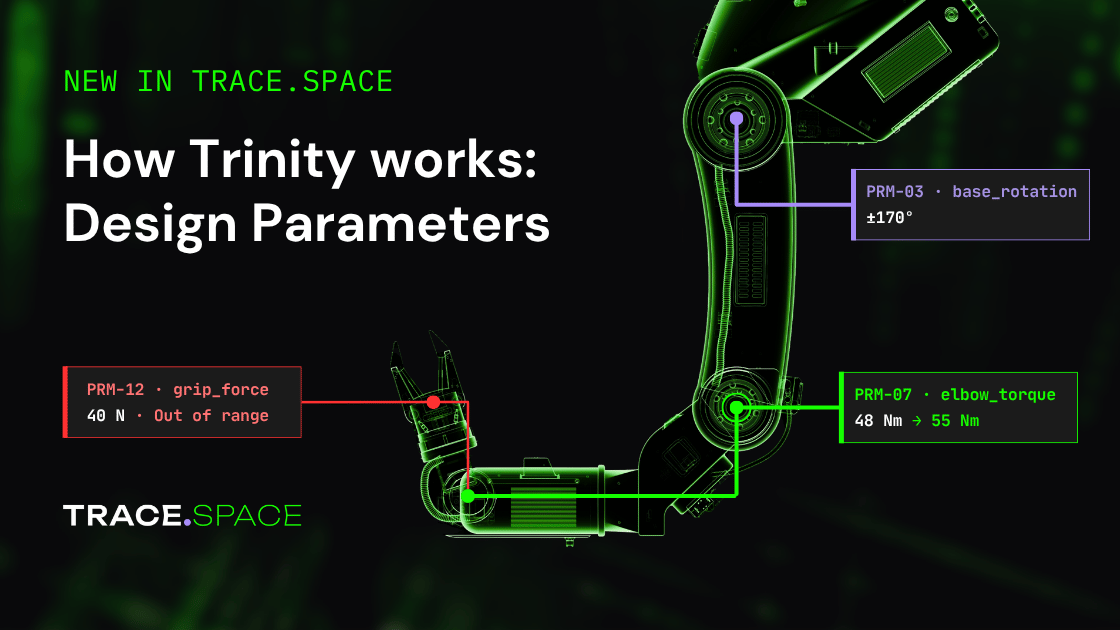
How Trinity Works: Design Parameters
Product
%20(1)%20(1)%20(1).jpg)
Janis Vavere
Oct 28, 2026


How Trinity Works: Design Parameters
A drone company sells twelve versions of the same aircraft. An engineer swaps the camera gimbal on one of them for a model that is 40 grams heavier. The change is approved, documented and correct.
The gimbal mass is also written into requirements and test procedures across the other versions, and in most teams each of those documents holds its own copy of the number, typed in by hand. So the real question after the change is where else 180 g appears and which of those places now need 220 g. Answering it usually means searching documents for "180", hoping nobody wrote "0.18 kg", and waiting for a design review to catch what the search missed. On software-defined hardware the question comes up again after launch, because a firmware update can retune a value that a requirement was verified against a year earlier.
Design Parameters in Trace.Space answers that question as soon as the value changes. A parameter is a value with a unit that every requirement and test points to instead of copying. Change it once and you see every place it is used, which version each place is on, and how each product variant resolves it.
One value, used everywhere. Requirements and tests reference the parameter instead of holding their own copy of the number.
The impact list exists before the review. Each parameter lists every item that uses it, with the version each one is on.
One requirement, a different number per product. Each variant resolves the same sentence with its own parameter values.
The number becomes something you can click
In a document, "180 g" in a requirement and "180 g" in a test procedure are just matching text, and nothing connects them. Model-based tools such as Cameo have long let specialists attach typed values with units to SysML models, and that works well for teams with modelers. Most requirements and test procedures, though, still live in documents where the number is plain text.
In Trace.Space you write {Gimbal mass} where you would type the number. The requirement still reads "The gimbal assembly shall not exceed 180 g", but the value is now a parameter with a unit, a version history and a list of everything that uses it. Click it and you see that list.
You don't have to rebuild your specifications to get there. When you import requirements, Trace.Space picks out numeric values in the text and lets you turn them into parameters, so an existing spec becomes connected data without retyping it.
Change it once, see everything it touches
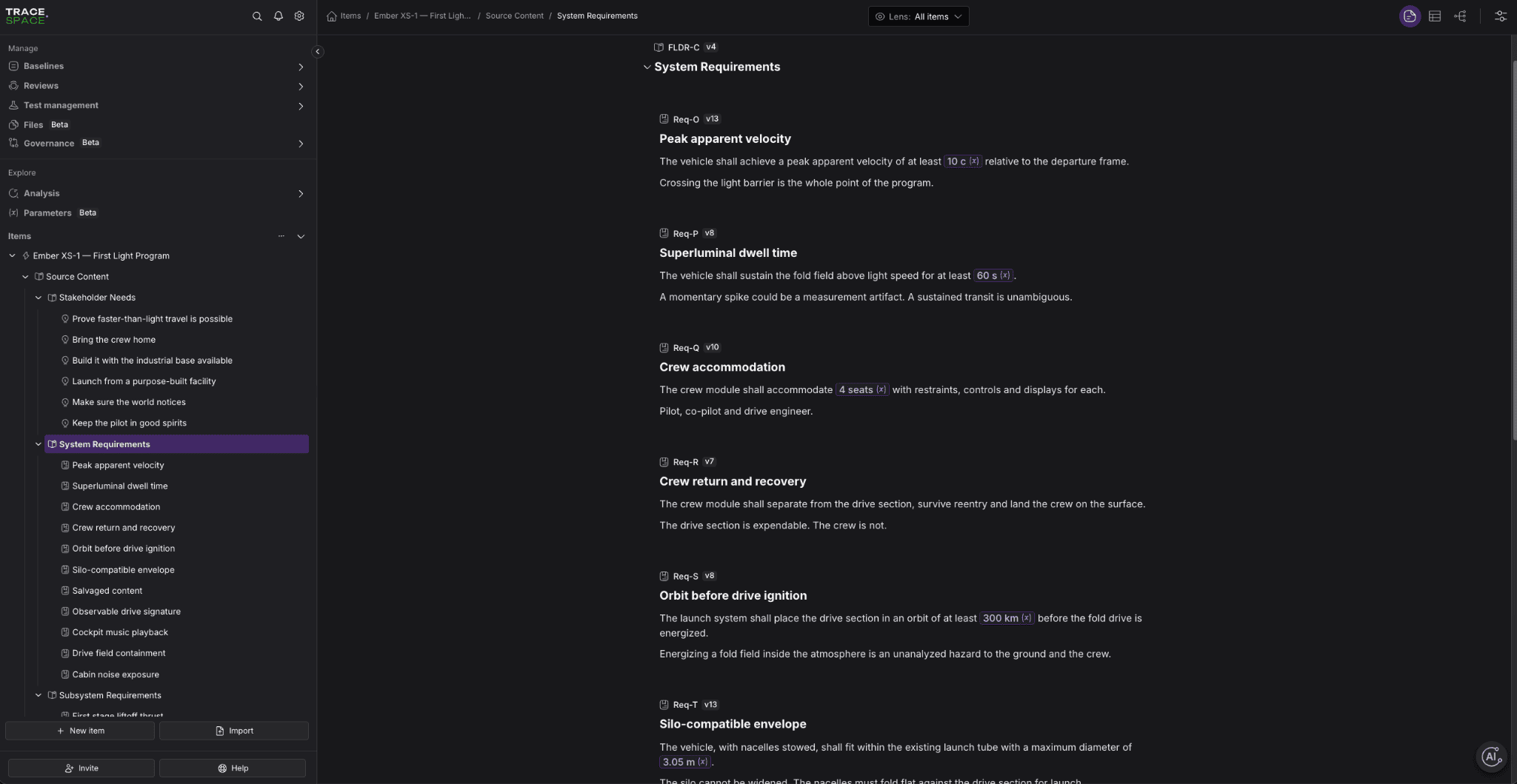
Change {Gimbal mass} to 220 g and Trace.Space saves it as a new version, with 180 g kept in the history. Open the parameter and the Used by list shows every requirement, test and other item that references it, and which version each one is on. The items that moved to 220 g and the items still on 180 g sit side by side.
That list is the impact analysis. Most teams get it from a review meeting after the fact. Here it exists the moment the change is saved, and it is the to-do list for whoever owns the follow-up.
Each reference can be fixed to a version or set to follow the latest value. Fixing it is the safer choice for anything already verified: a requirement tested at 180 g keeps reading 180 g until an engineer checks that 220 g still works and updates the reference. Values don't change under anyone's feet, and the Used by list still shows which items are on the old version, so nobody has to remember them.
One sentence, twelve products
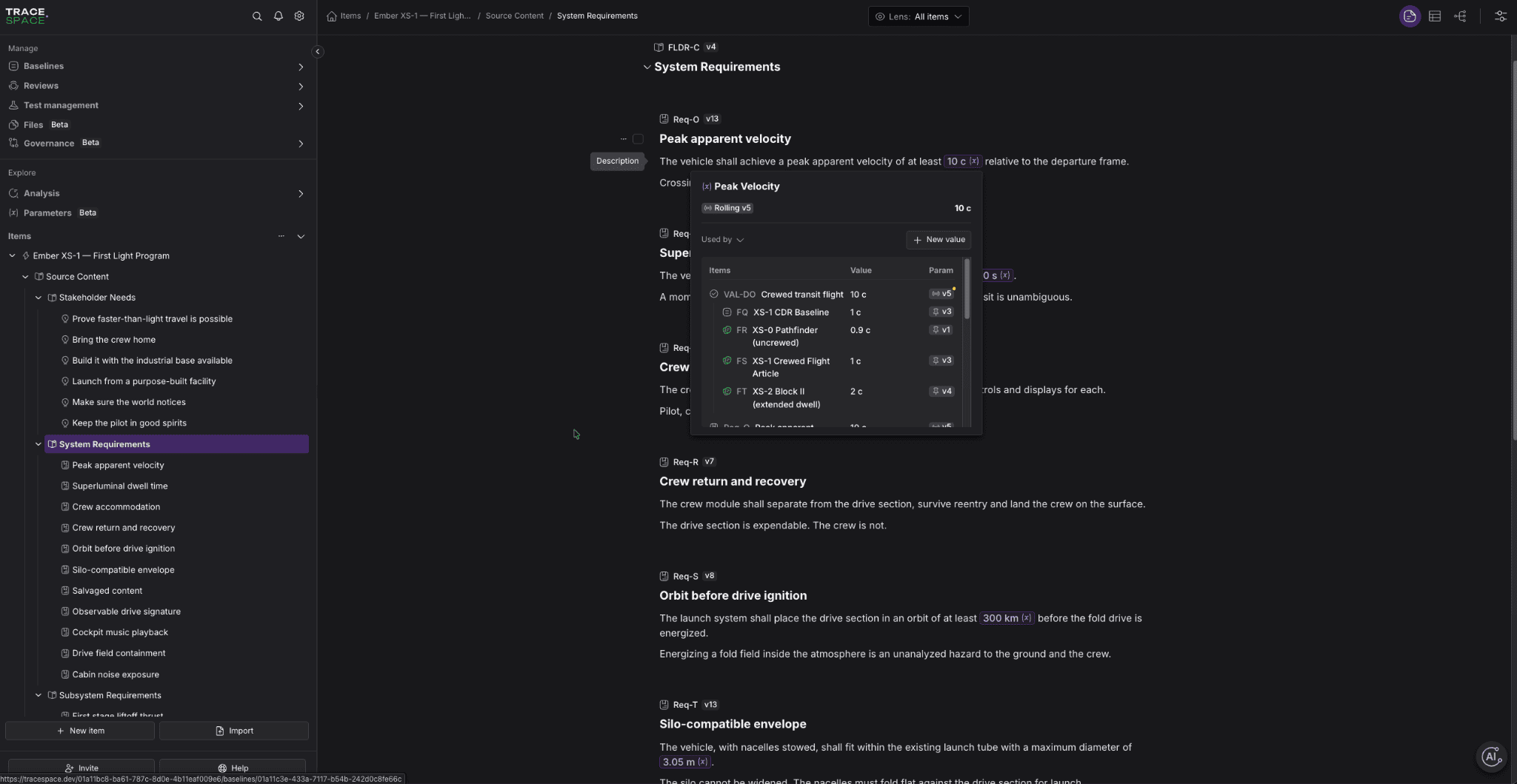
With Variants, each product configuration pins the parameter values it uses. Switch the Variant Lens to the survey model and the gimbal requirement reads 220 g. Switch to the lightweight model and the same requirement reads 180 g. The sentence is written once, and each product resolves it to its own number.
This changes the job for the people who test and review. When twelve variants share the same requirement text and differ only in a parameter value, nobody has to compare twelve documents line by line to find the difference. They look at the values that differ and test against those.
Inside one variant, a parameter has a single value everywhere it appears, so two parts of the same product can't disagree about the gimbal mass by accident. You can read more about how variants work in How Trinity Works: Variants Management
The same number in your models
Parameters are available through the Trace.Space API. A mass-properties script or a flight simulation can read {Gimbal mass} from the same place the requirement does, instead of from a spreadsheet exported last month. The value in the simulation and the value in the requirement come from one source, so they can't drift apart.
Getting started
Design Parameters is available now in Trace.Space as part of Trinity.
Book a demo and we'll set up parameters from requirements you have already imported.
How Trinity Works: Variants Management
Janis Vavere
Oct 26, 2026
Trace.Space Introduces Trinity, the Agent Harness to Accelerate Physical AI
Janis Vavere
Sep 29, 2026
Where Are the Hundred Thousand?
Janis Vavere
Sep 3, 2026
See how Trinity works
Book a demo and see how it works on your own requirements.


Built for Enterprise Engineering Teams
Want to see how Trace.Space fits into your stack?
Our team will walk you through enterprise use cases, integrations, and deployment options, tailored to your environment.