

How Trinity Works: The Agent Harness
Product

Janis Vavere
Nov 11, 2026


The prototypes already exist. Robots deliver food on city sidewalks, autonomous vehicles carry passengers in a growing list of cities, and drones fly missions. Robotics companies raised $18.8 billion in the first half of 2026 alone. Turning a few working units into a fleet is where most programs stall. Every hardware generation, product variant and software release multiplies the requirements, tests and parameters a team has to keep straight, and AI agents now change that information faster than any team can check it.
A handful of the most advanced hardware companies solved this for themselves, with internal tooling built by dedicated teams. Everyone else has made do with documents and spreadsheets. Trace.Space built Trinity, the first agent harness for hardware engineering, to make scaling physical AI possible for every team: one connected graph of requirements, tests, design parameters and variants, plus the tools AI agents need to work inside it.
Point a general-purpose AI model at a requirements database and it will answer with confidence. Often it will also be partly wrong, because it reads text and guesses at how the items relate. In engineering, an answer that is 80% right is a wrong answer. A missed trace means a test nobody reruns, and a misread parameter means a product checked against the wrong limit.
Trinity’s harness hands agents those relationships directly, so they don’t have to guess them. Agents filter items, follow traces up and down, and read each item as it applies to one product variant. What an agent finds comes from your actual product data, and every change it proposes still goes to an engineer.
You can run our agent, Space Agent, inside Trace.Space. You can also connect the LLM your organization already approves through the documented REST API and MCP server.
- One graph for every agent. Requirements, tests, design parameters and variants sit in one connected model, and every agent reads from it.
- Tools to traverse the graph. Agents filter items, follow traces and resolve variants with deterministic tools, so the same query returns the same items every time.
- Your agent or ours. Space Agent uses a curated set of tools, and each change it proposes waits for approval. Your own LLM connects with your account’s access.
What the harness gives an agent
Karlis Broders, co-founder and CTO of Trace.Space, explains it like this: “The graph is just a data structure. What we do for the LLM is we allow it to traverse the graph.”
In practice, an agent working in Trinity can:
- filter items by type, attribute or trace, the way an engineer builds a saved analysis
- follow traces upstream to the requirement behind a test, or downstream to everything a change touches
- read an item with its parameter values filled in, value and unit included
- switch to one variant and read the project as that product
Engineers run the same operations in the interface. The harness packages them in a form an AI model can call. When you ask an agent which tests cover a requirement, it runs a lookup over the traces and returns the list an engineer would get.
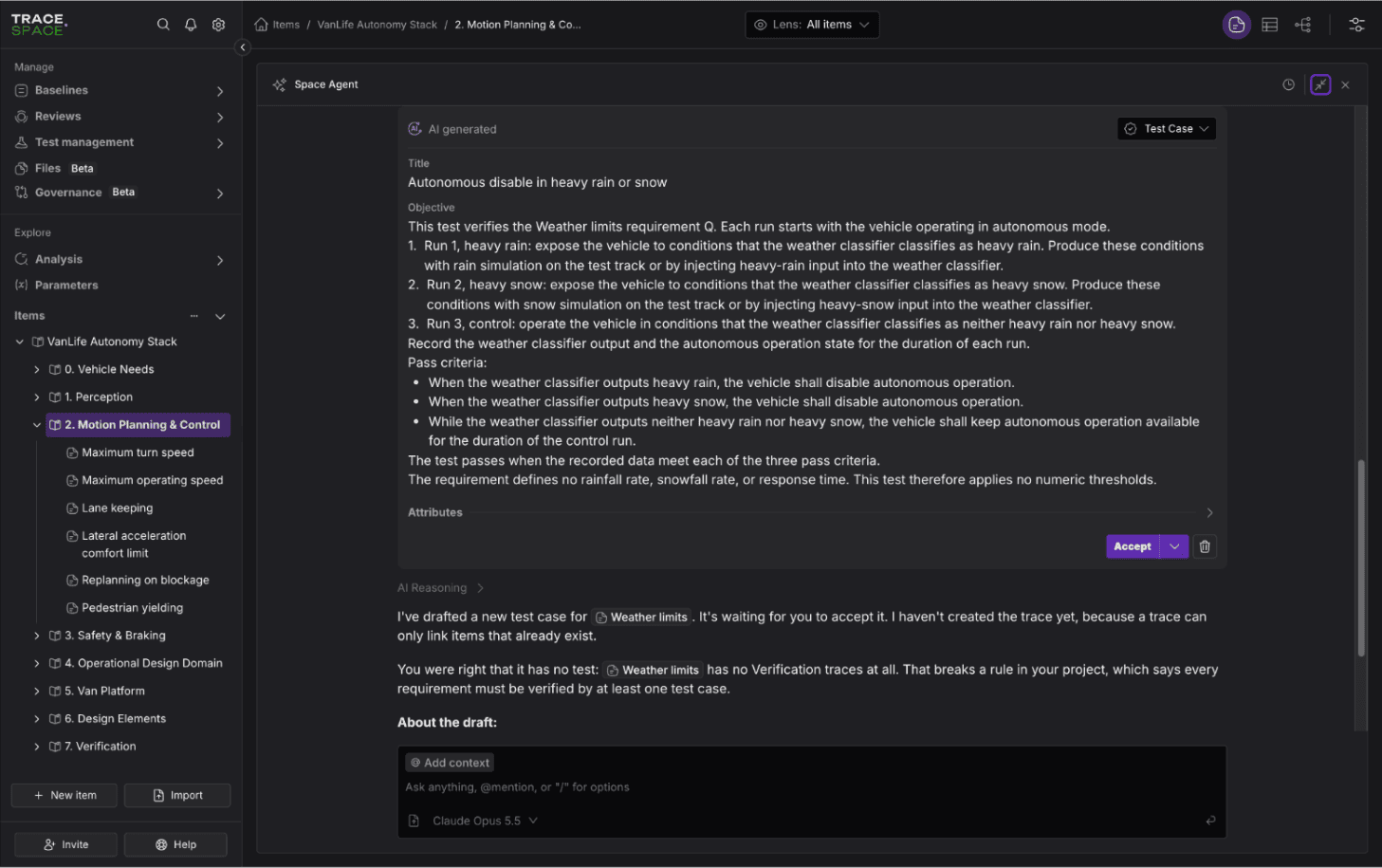
A true graph, where one item can have several parents
In most requirements tools, each item lives in one place in a document or module tree. When a requirement belongs to two subsystems, teams copy it or link across modules and try to keep the copies in step.
Trace.Space is built as a true graph. One item can have several parents, and each parent points to the same item. Different item types can also sit together in one place, so a requirement, the design parameter it depends on and the test that verifies it can be grouped side by side.
The difference shows up when an agent does the work. An engineer who knows the program remembers that the braking requirement also appears under the van platform. An agent only knows what the structure tells it. When it follows the traces from a failing brake test, it reaches every parent of the affected requirement, and with them every subsystem that depends on it.
Seeing each variant’s scope
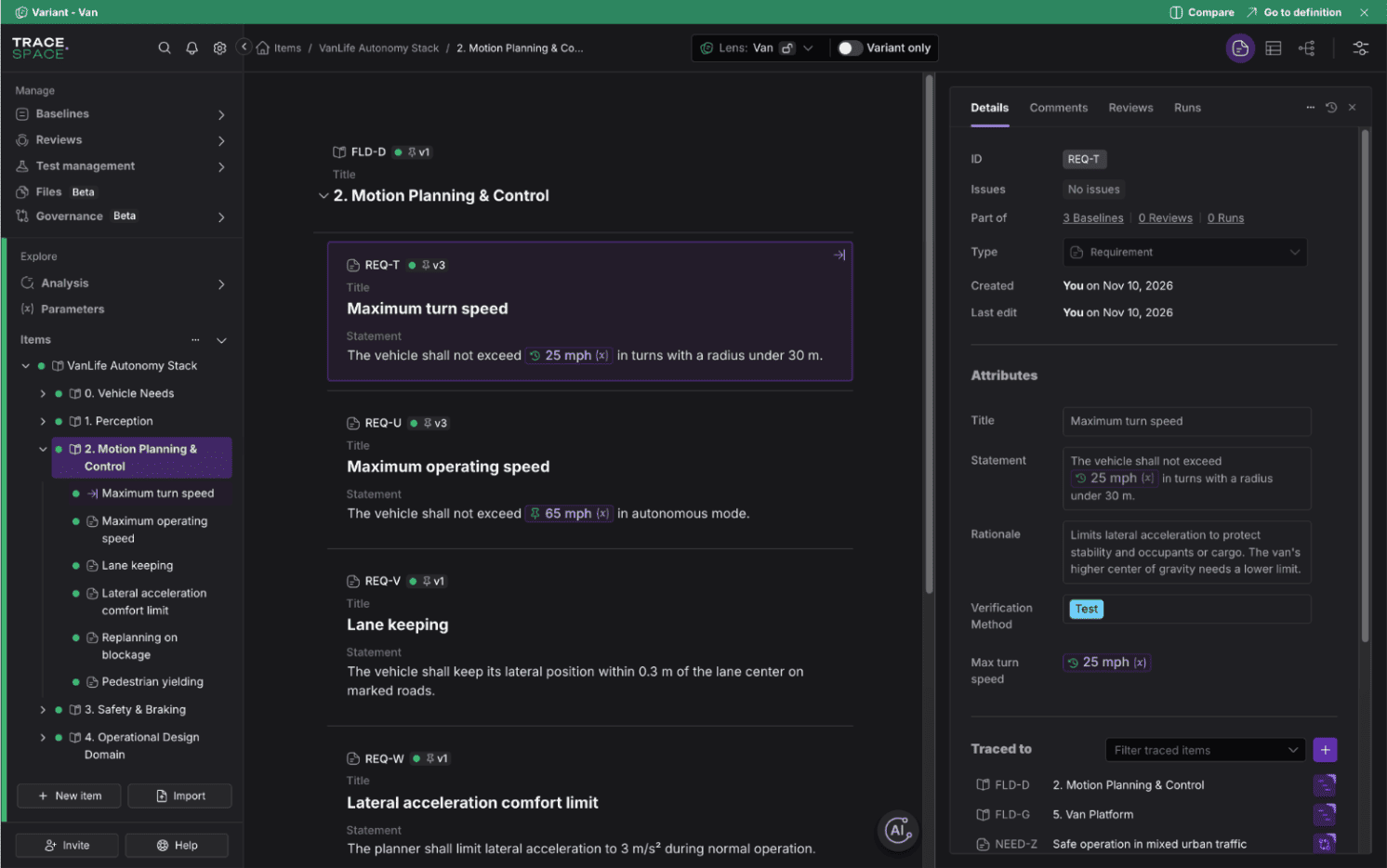
Physical products rarely ship as one configuration. One autonomy stack may run on a sedan, an SUV and a delivery van, with shared requirements and a few values that differ per platform. Karlis calls this the hard part for AI: telling apart products that are almost identical.
An agent that reads every configuration at once will mix them up. It might quote the sedan’s 30 mph turn-speed limit in a review of the van, which is pinned at 25 mph. In Trinity, an agent can work through the Variant Lens and read the project as one variant, with that variant’s item versions and parameter values in place. Ask about the van, and the answer uses the van’s values.
Variants and pinning are covered in How Trinity Works: Variants Management.
Space Agent: the agent we built for this
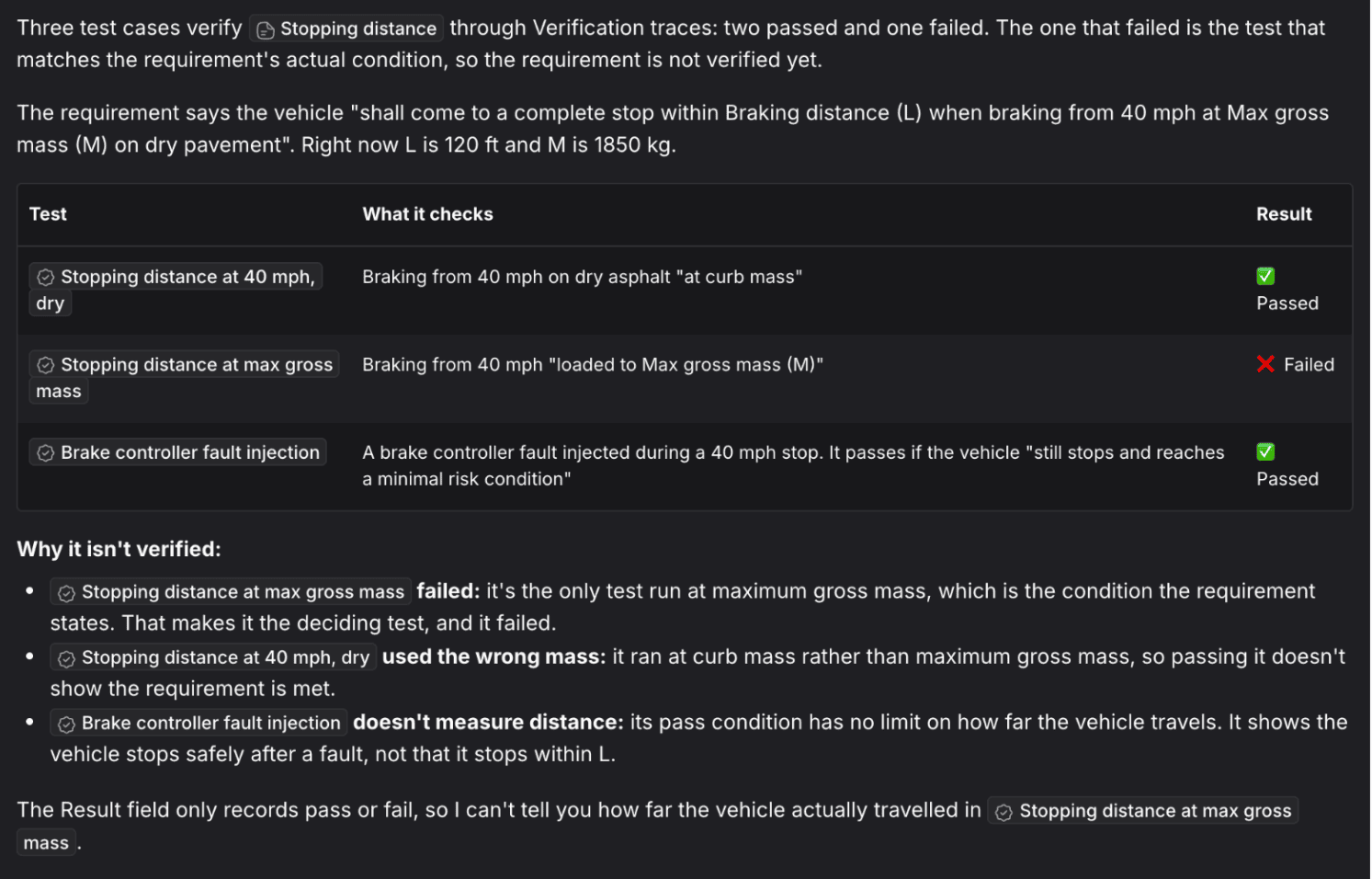
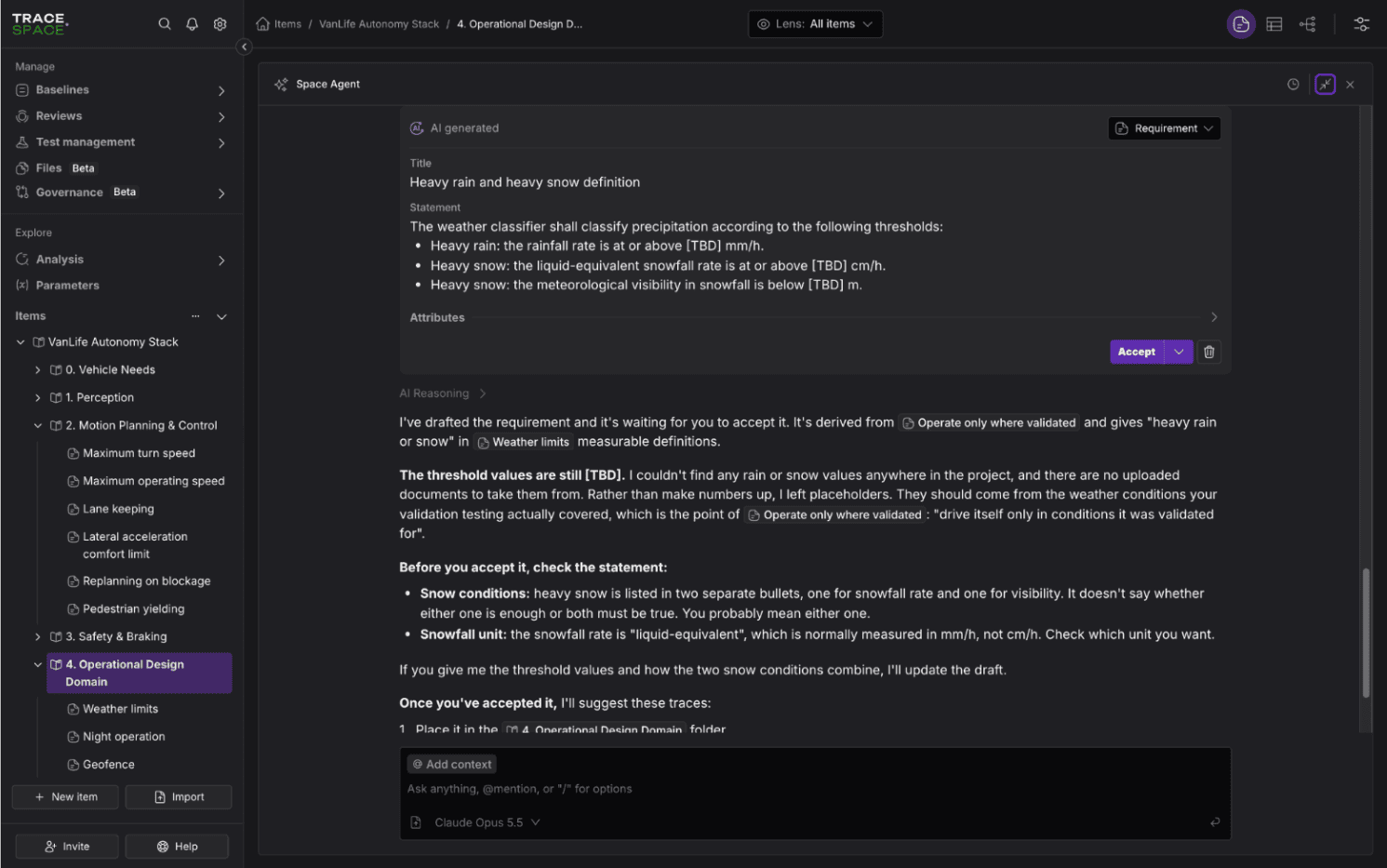
Space Agent runs inside Trace.Space. It drafts requirements, writes traces, runs impact analysis and finds gaps in your model, using the graph tools described above.
Its toolset is curated on purpose. Space Agent can read, analyze and propose, but it cannot run arbitrary API calls, so no prompt can make it rewrite half a project. Each change it proposes waits for an engineer to approve, and it works within the permissions of the person using it.
You also choose the model behind it. In organization settings, admins can connect a model provider, including OpenAI-compatible endpoints and self-hosted models. In an air-gapped deployment, Space Agent runs on a model inside your network, and nothing leaves it.
Your own agents: REST API and MCP server
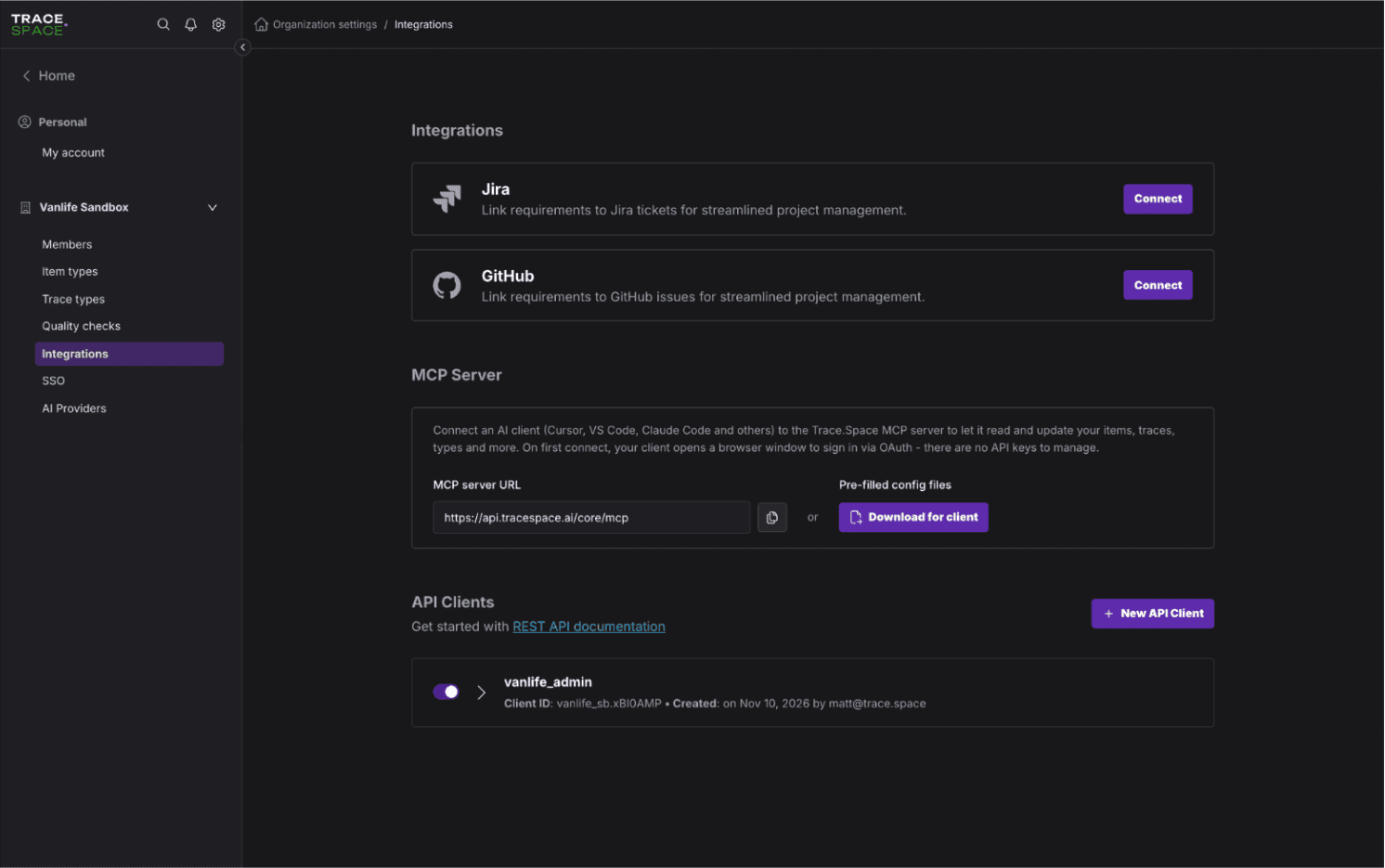
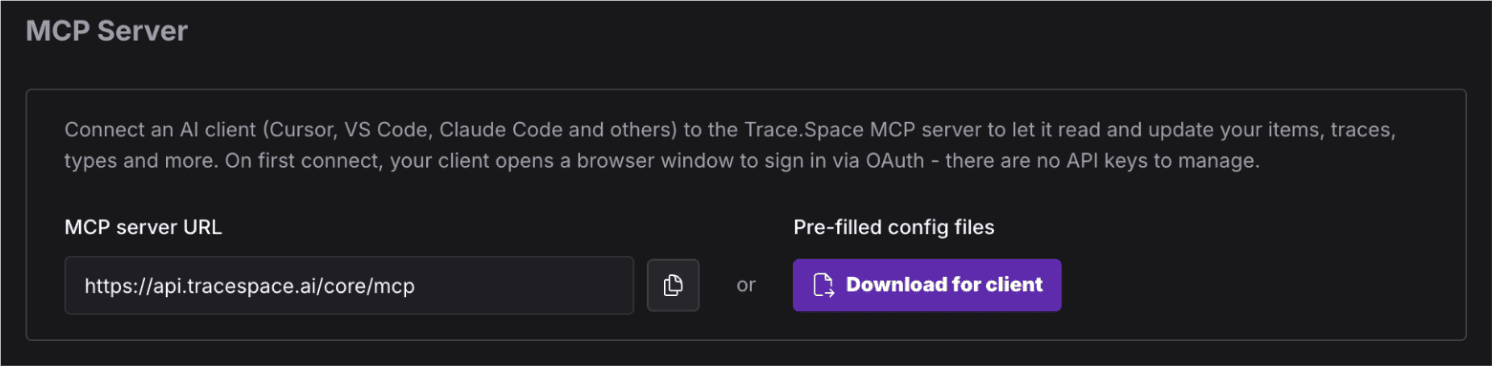
If your team already works with an approved AI assistant, or builds its own agents, you can connect them to Trinity directly. Trace.Space has a documented REST API and an MCP server. The MCP server gives any MCP client graph tools such as item filtering and trace traversal. Claude Code, Claude desktop, Cursor and VS Code all work as clients. Ready-made configurations sit in your organization settings, and the agent signs in with your Trace.Space account.
Teams use this for work that is slow to do by hand in the interface: creating item types, setting up rules, importing and normalizing data, or adding test steps in bulk. Our own team produces release notes this way. An agent looks up items through the MCP server and falls back to the REST API when a tool is missing.
There is one difference to plan for. Space Agent’s tools are curated, while an outside agent can do anything your account can do through the API. That makes the MCP server a tool for admins and power users. Connect with an account whose role fits the task, try new workflows in a sandbox project first, and check the continuous analysis for broken links and coverage gaps after a bulk change.
Space Agent or your own agent?
You can run both side by side. They read the same graph, with the same variants and the same parameter values.
Getting started
Book a demo and we’ll connect Space Agent, or your own agent, to your requirements.
See how Trinity works.
How Trinity Works: Design Parameters
Janis Vavere
Oct 28, 2026
How Trinity Works: Variants Management
Janis Vavere
Oct 26, 2026
Trace.Space Introduces Trinity, the Agent Harness to Accelerate Physical AI
Janis Vavere
Sep 29, 2026
See how Trinity works
Book a demo and see how it works on your own requirements.


Built for Enterprise Engineering Teams
Want to see how Trace.Space fits into your stack?
Our team will walk you through enterprise use cases, integrations, and deployment options, tailored to your environment.